Wireless earbuds have become an essential part of daily life, offering freedom from tangled wires and seamless audio wherever you go. But these compact gadgets need a little extra care to stay in top shape. Here’s how you can keep your wireless earbuds safe from daily wear and tear, so you can enjoy great sound every day.
Keep Them Dry: Moisture Is the Enemy
Avoid exposing your wireless earbuds to moisture whenever possible. Sweat, rain, or accidental spills can affect their delicate inner workings and cause problems over time. Always store your earbuds in a dry place, and if they get wet, make sure they’re completely dry before putting them away. Even if your earbuds are water-resistant, it’s wise to keep them away from liquids as much as possible.
If you use your earbuds while working out, gently wipe them down afterward to remove sweat. For extra protection, you can place a small silica gel pack inside your case to help absorb any moisture.
Charge Smart: Avoid Overcharging
Overcharging your wireless earbuds can shorten their battery life. Try not to leave them charging for long periods after they’ve reached full power. Keeping the charging case topped up is helpful, but unplugging your earbuds once they’re charged will help keep their batteries healthy.
Occasionally, clean the charging contacts on both the earbuds and the case to ensure a good connection. A soft, dry cloth or a cotton swab works well for this.
Handle With Care: Avoid Drops and Pressure
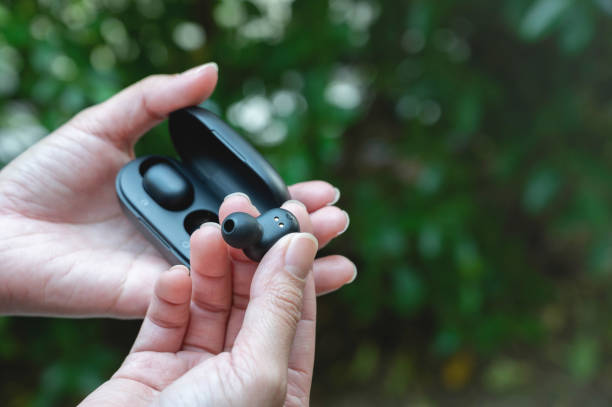
Wireless earbuds are lightweight and portable, but that makes them more vulnerable to drops or damage from heavy objects. Handle your earbuds gently and avoid placing anything heavy on them or their case. If you drop your earbuds, check for any visible damage and test the sound before using them again.
Storing your earbuds in their case when not in use is the best way to protect them. The case helps prevent physical damage and keeps your earbuds from getting lost.
Cleanliness Is Key: Regular Maintenance for Longevity
Keeping your wireless earbuds clean is important for both hygiene and performance. Earwax, sweat, and dirt can build up on the earbuds and in the case, affecting sound quality and comfort. Remove the silicone tips (if your model has them) and clean them gently with a mild soapy solution or rubbing alcohol, then let them dry completely before reattaching.
Use a soft, dry cloth or a cotton swab to wipe down the earbuds and the inside of the case. Avoid harsh chemicals or excessive moisture, as these can damage the electronics. Regular cleaning keeps your earbuds looking and sounding their best.
Mind the Temperature: Avoid Extreme Heat and Cold
Wireless earbuds are sensitive to extreme temperatures. Leaving them in a hot car, direct sunlight, or a freezing environment can damage the battery and internal components. Always store your earbuds in a moderate, climate-controlled place for best results.
If your earbuds have been exposed to heat or cold, let them return to room temperature before using or charging them. Sudden temperature changes can cause condensation inside the device.
Use Them Wisely: Protect Your Ears and Your Earbuds
While protecting your wireless earbuds is important, don’t forget to protect your ears too. Listening at high volumes for long periods can strain both your hearing and the earbuds themselves. Try to keep the volume at a comfortable level and take breaks if you’re listening for extended periods.
Choose the right fit for your ears to ensure comfort and keep the earbuds secure. A good fit also helps block out background noise, so you don’t have to turn up the volume too high.
Store Them Properly: Keep Them Safe and Sound
Always store your wireless earbuds in their case when not in use. The case protects them from dust, dirt, and physical damage, and keeps them ready for your next listening session. If you don’t have a case, store your earbuds in a clean, dry place away from sharp objects and heavy items.
For extra protection, consider using a small pouch or a dedicated compartment in your bag. This helps prevent scratches and keeps your earbuds organized with your other essentials.
Final Thoughts: Small Steps for Long-Term Enjoyment
Taking care of your wireless earbuds is easy and makes a big difference in how long they last. By keeping them dry, clean, and protected from damage, you can enjoy your favorite music, podcasts, and calls without interruption.
Handle your earbuds with care, follow these simple tips, and your wireless earbuds will stay in great condition for all your daily adventures.